Every road · refreshed every 2 min

See every road.
Know why it slows.
Act before it jams.

Live alerts, deep analytics, an AI analyst and a traffic simulator in one platform, built on Google Maps data. Live in weeks, on data Google already collects.
app.trafficure.com/alerts
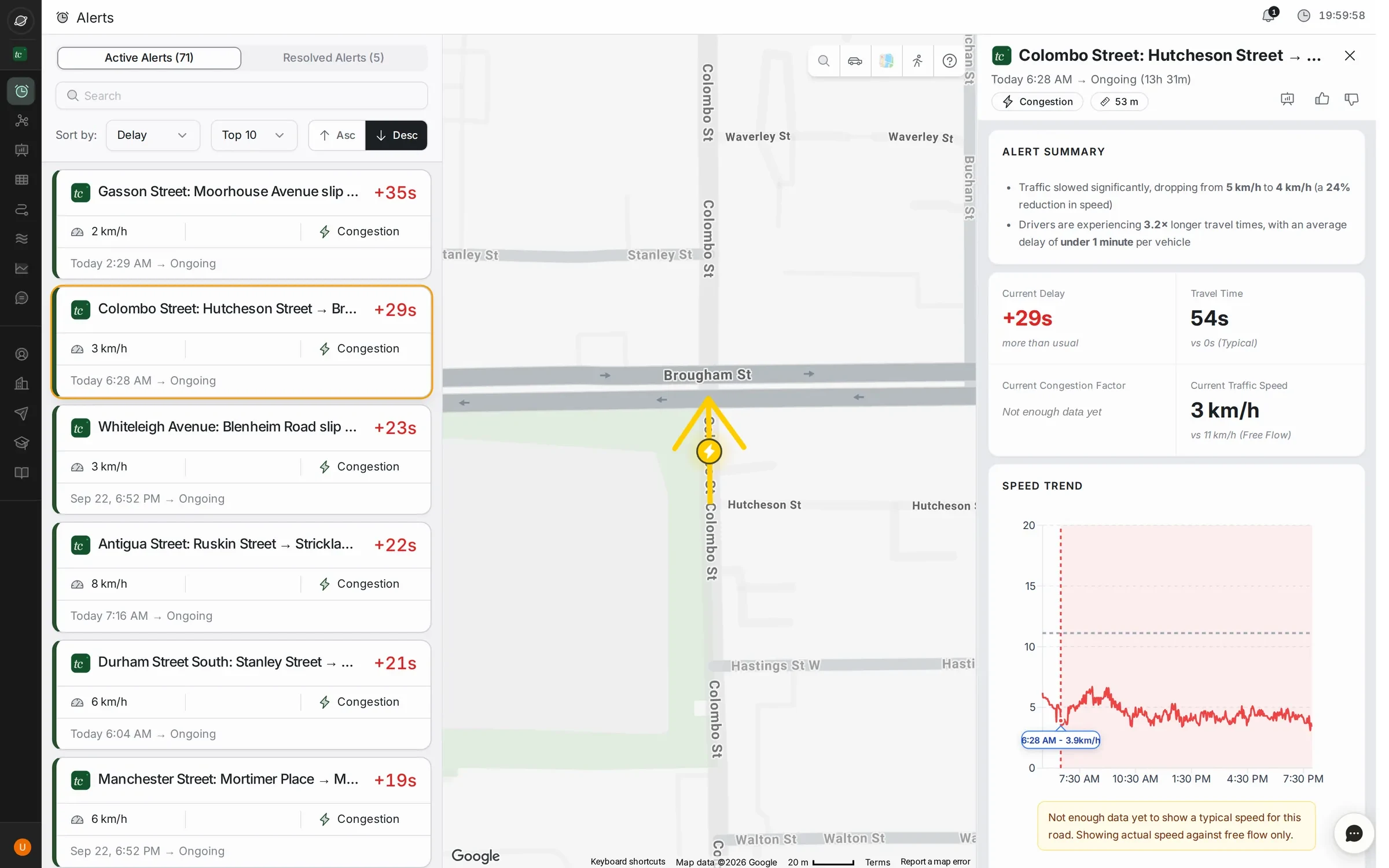
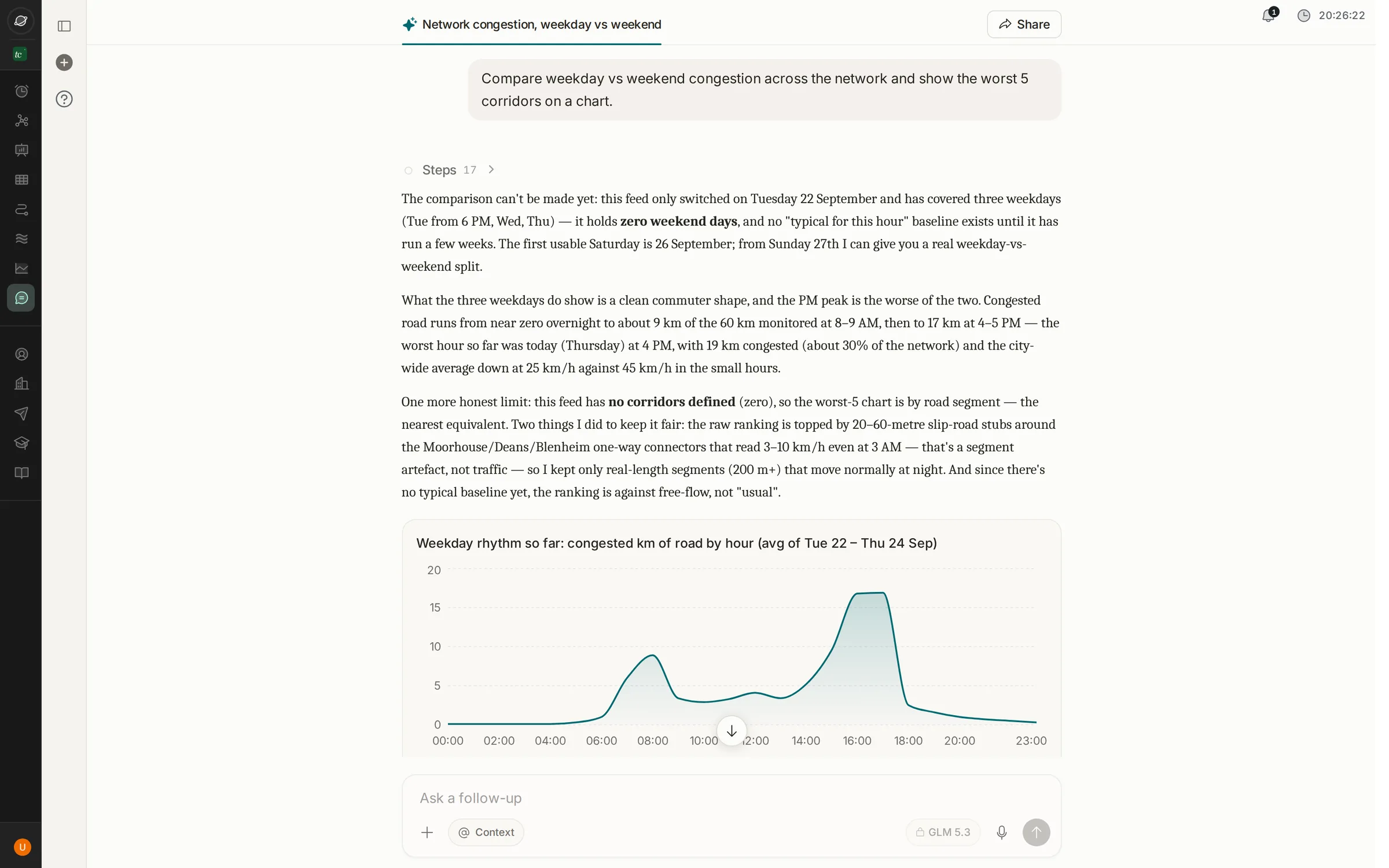
Live alerts: a feed of congested roads beside a map, with one alert open showing its summary and speed trend Segment analytics with speed trend and seven-day delay index AI assistant answer with a congestion-by-hour chart Auto-generated congestion daily report open in the viewer 3D traffic simulation of the city network
Live alerts. Every slowdown on the network, the moment it starts.Christchurch · live data
2min
Data refresh, network-wide
100%
Of roads covered, not just junctions
2–3wks
From kickoff to live city
0
New hardware needed to start
01Now · Live alerts

Know the moment a road slows down.

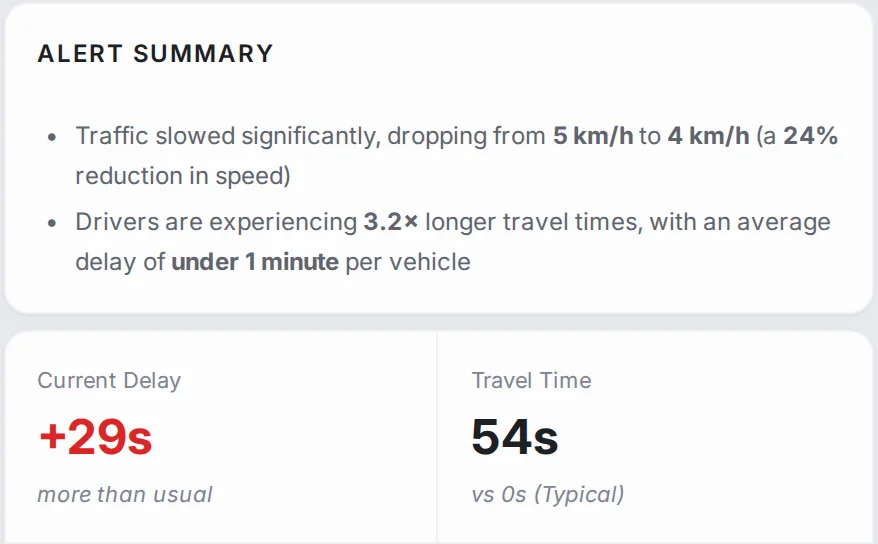
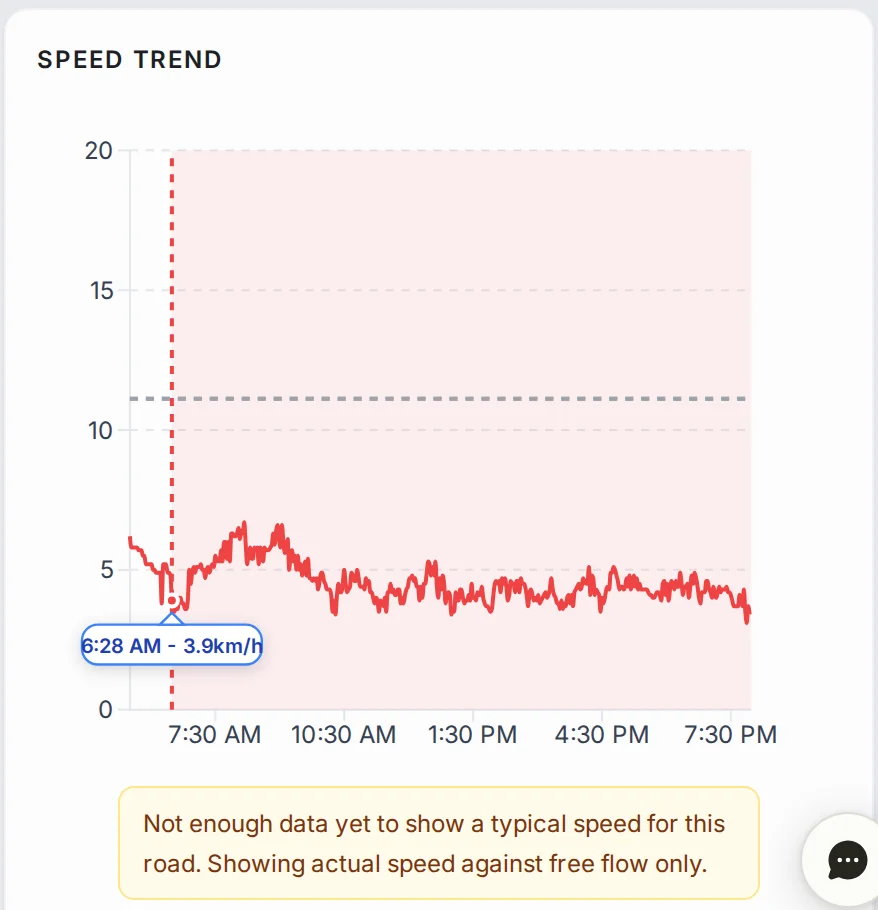
Every active and resolved slowdown on one live feed, with a written summary and the speed curve behind it.
app.trafficure.com/alerts
Alerts feed with map
Alert summary: speed dropped from 5 to 4 km/h, travel time 3.2 times longer, current delay plus 29 seconds
Speed trend for the alert since 6:28 AM
71 active
Live and resolved feeds Plain-language alert summaries Speed vs typical vs free flow Alerts on WhatsApp and mobile
02Why · Analytics

Find out why it keeps happening.

Go from the whole network down to a single 100-metre segment. Separate the daily bottleneck from the one-off.
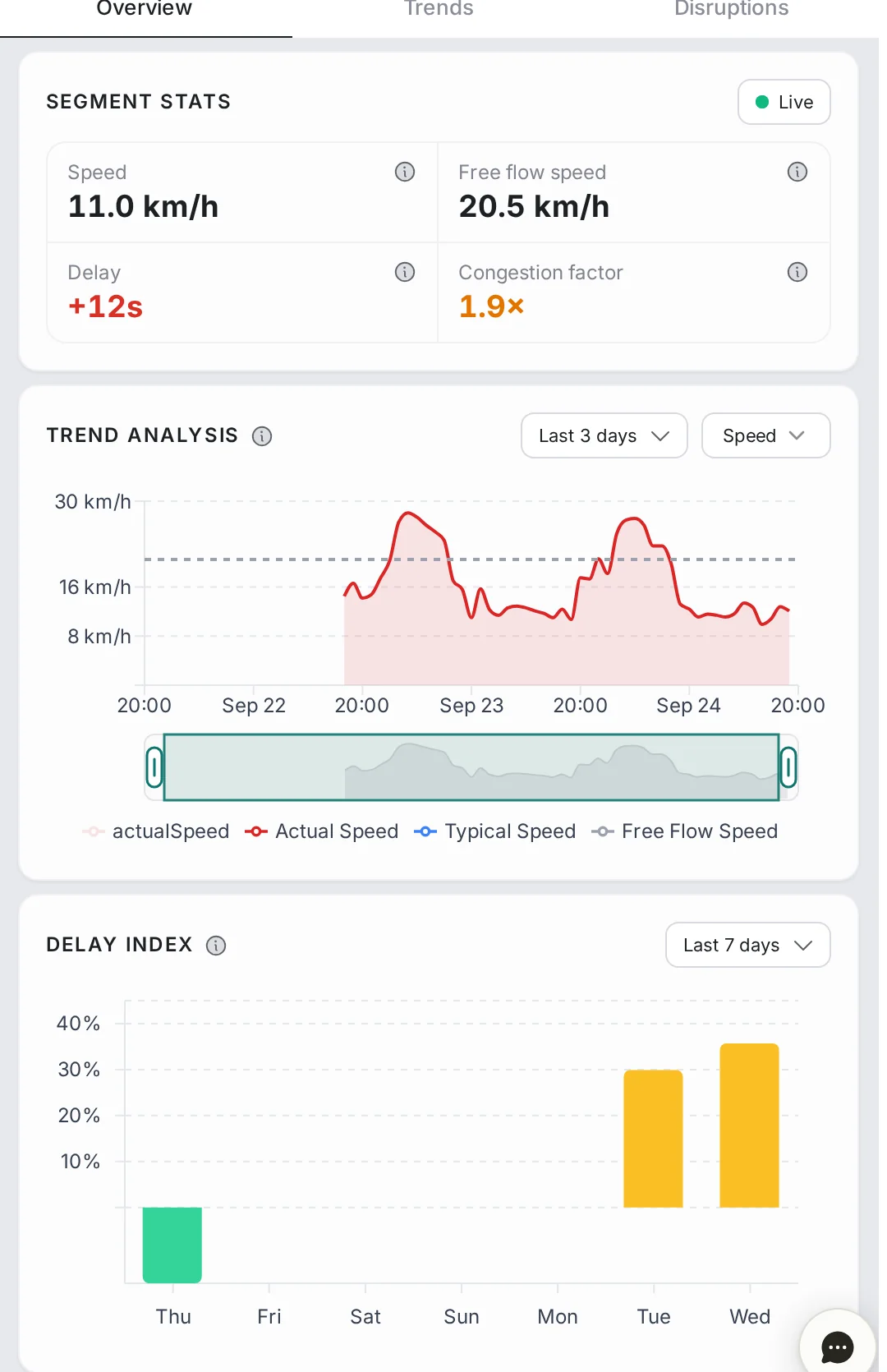
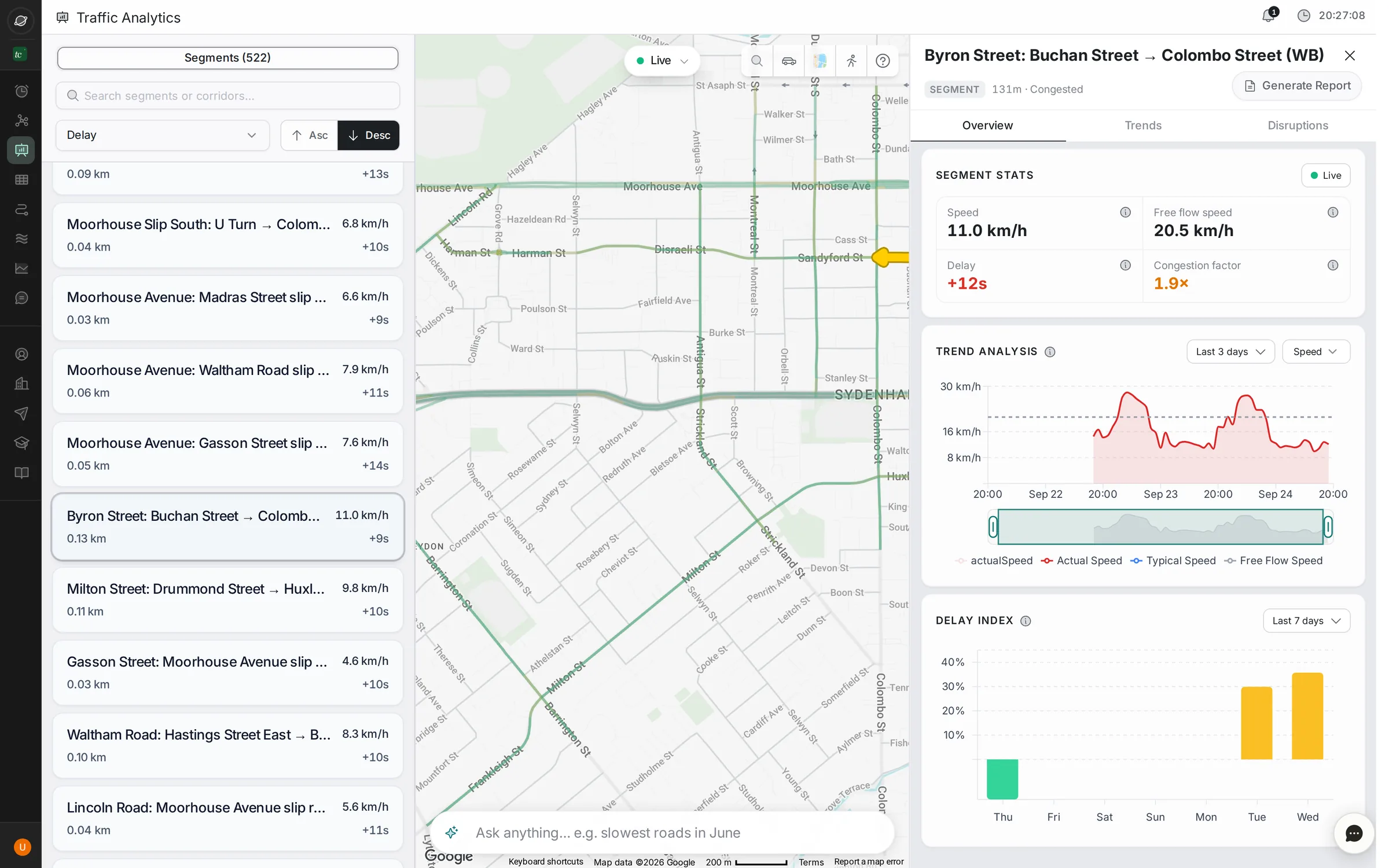
Segment analytics

Segment and corridor analytics

Speed trends, a seven-day delay index and recurrent-versus-one-off delay for any road.

Segment stats, trend analysis and delay index panel

Every number, one panel

Speed, free-flow speed, delay and congestion factor, refreshed live.

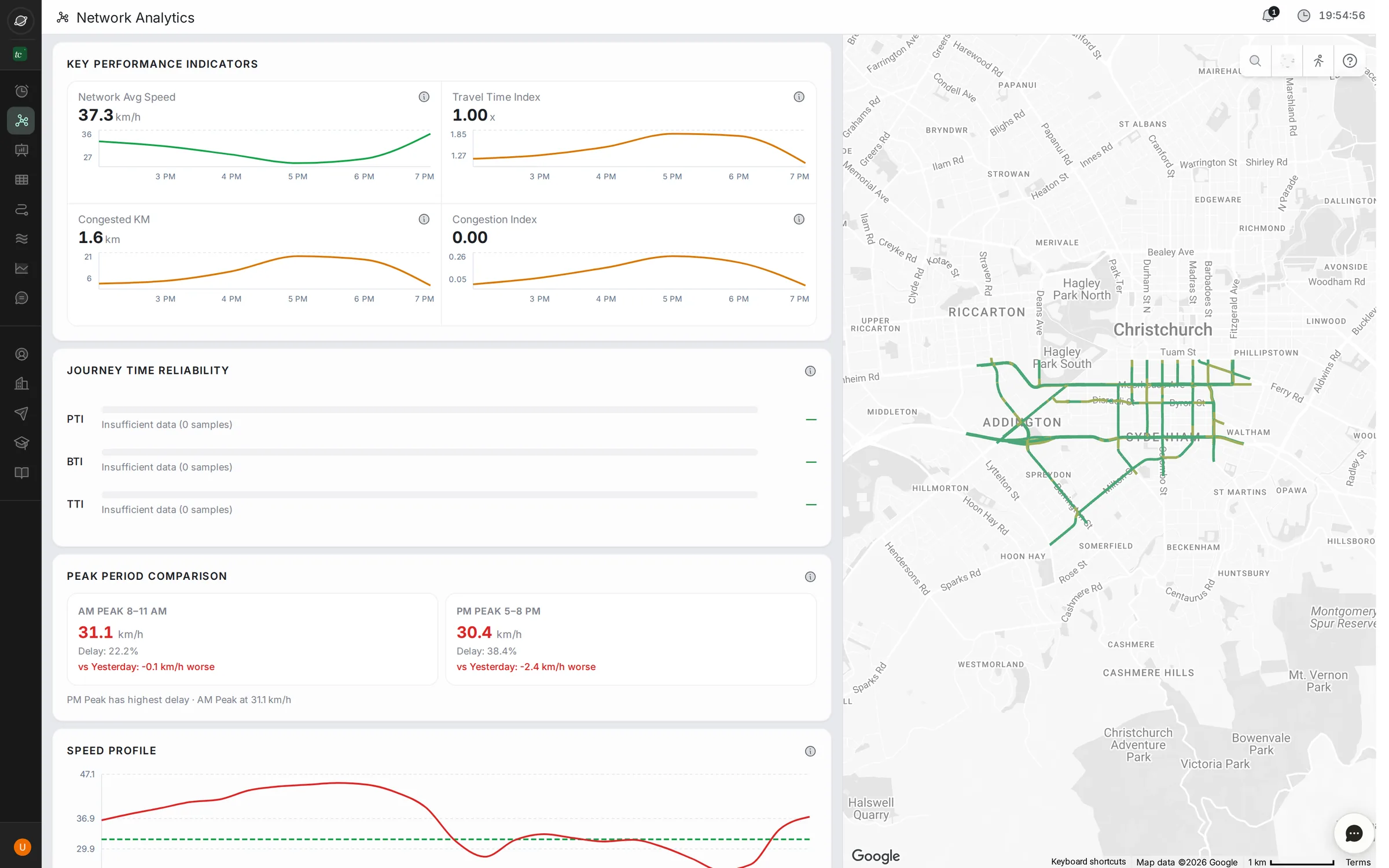
Network analytics KPIs and map

Network health at a glance

Average speed, travel time index, congested kilometres and AM vs PM peaks for the whole city.

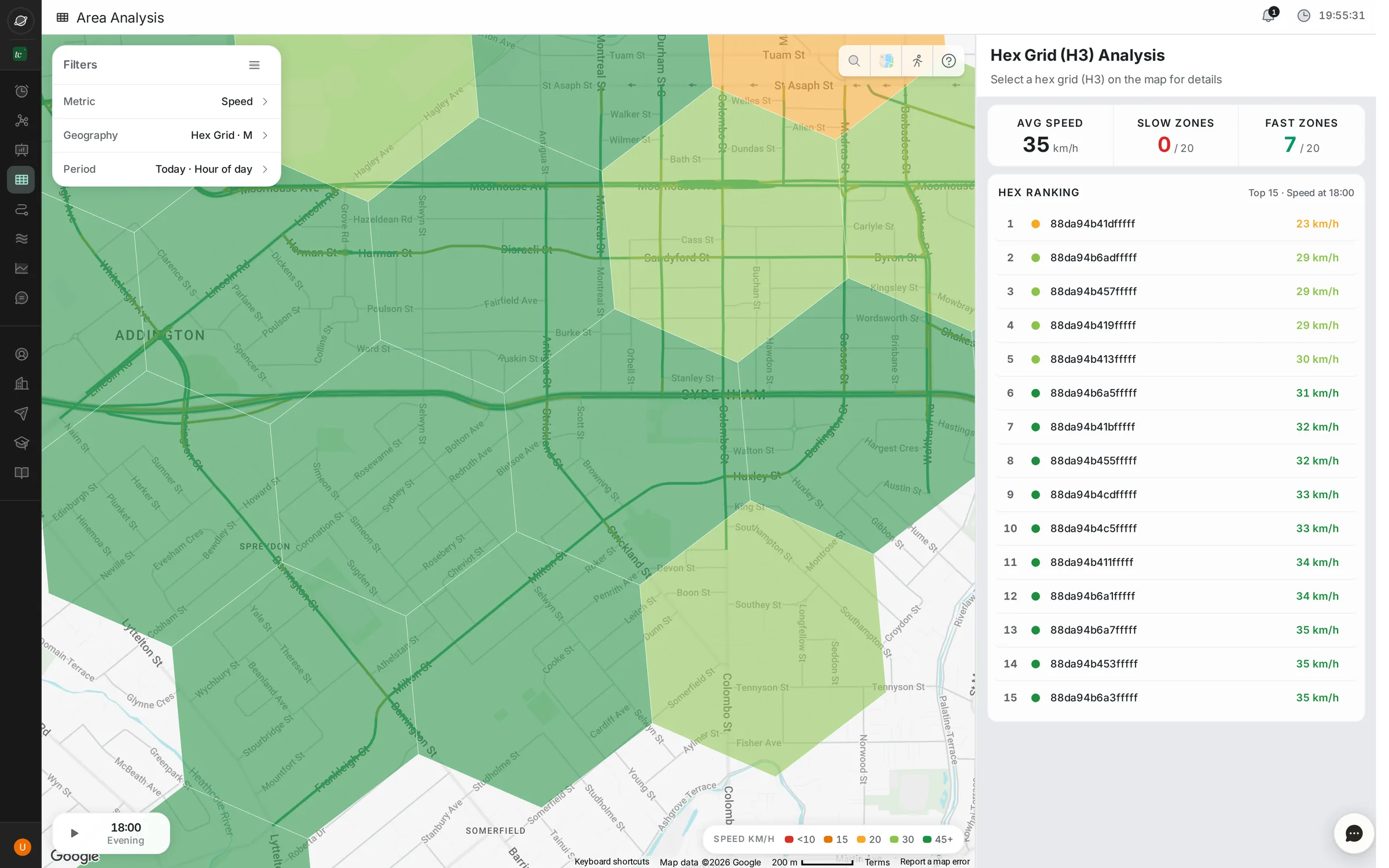
Hex-grid area heatmap with top 15 ranking

The city as a heatmap

Hex grid, locality or pin code. Scrub through any hour of the past week and rank the worst areas.

03Routes · Monitoring

Track the routes your city cares about.

VIP corridors, ambulance paths, bus routes, school runs. Draw them once and follow travel time, delay and reliability road by road.
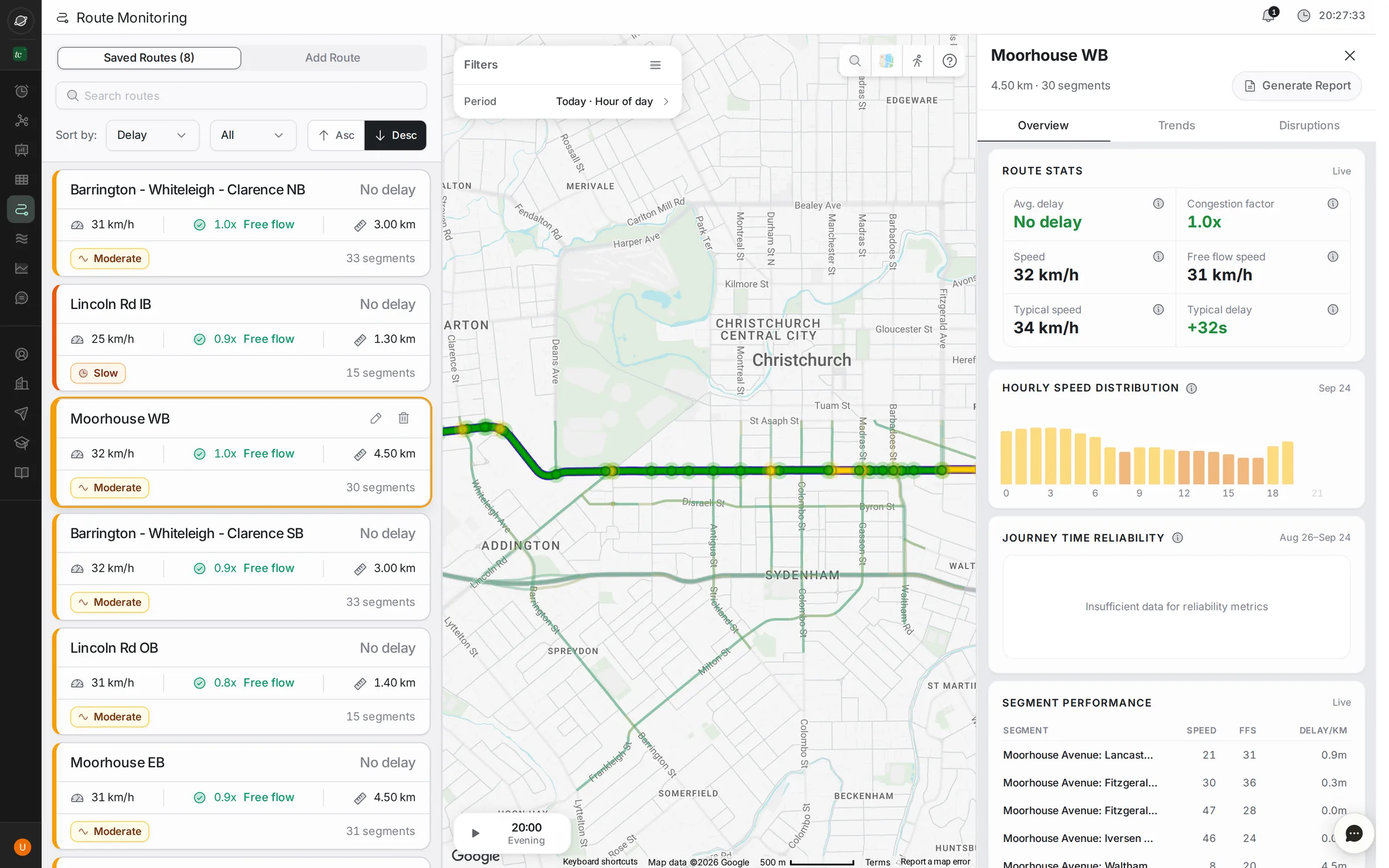
app.trafficure.com/route-monitoring
Route monitoring with saved routes list, route on map and route stats
Build by search or map click Hourly speed distribution Segment-by-segment breakdown Journey time reliability One-click route report
04Ask · AI assistant

Ask your traffic data anything.

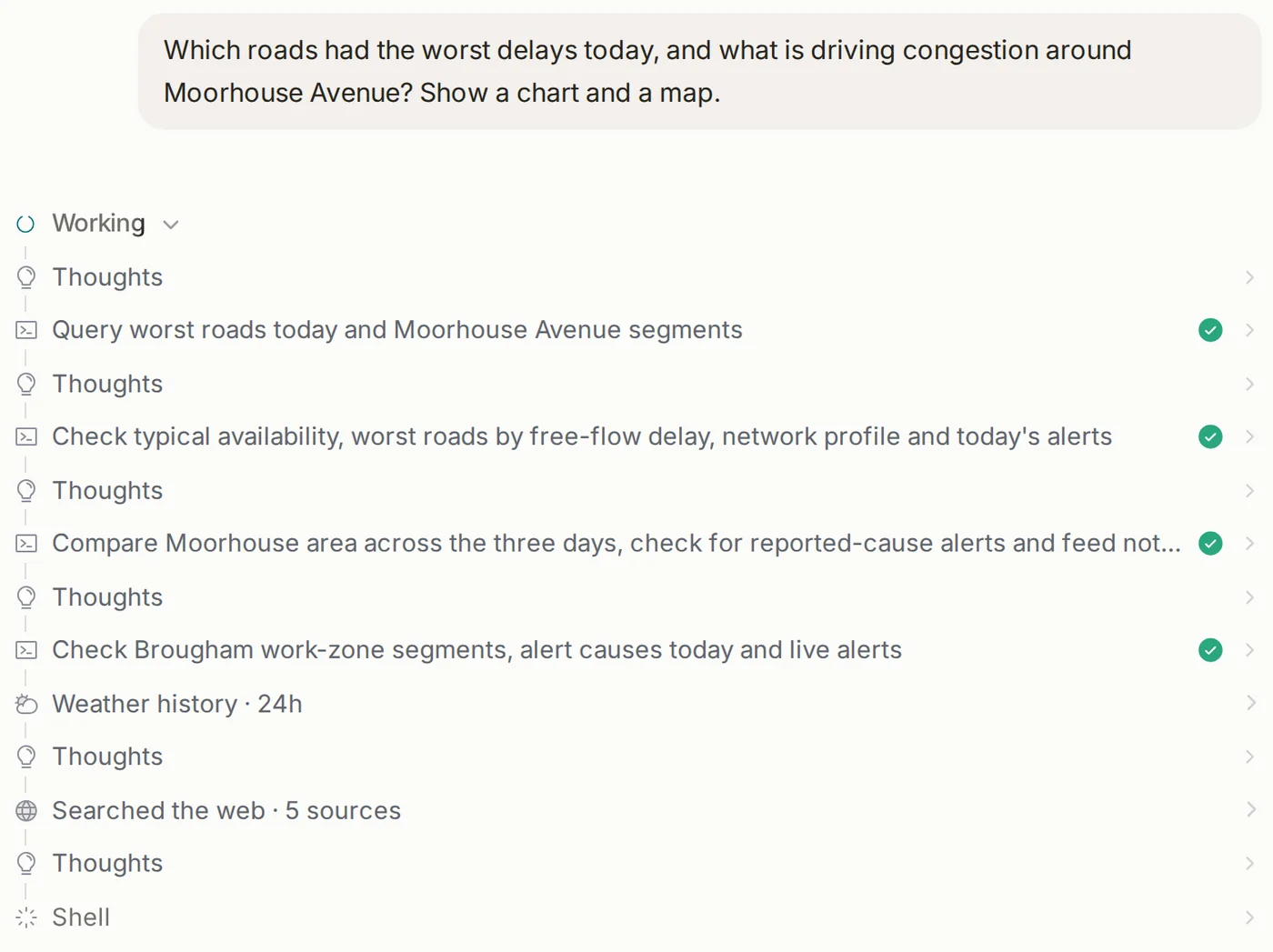
An AI analyst that queries the live network, checks weather and news, and answers with charts, maps and a written read-out.
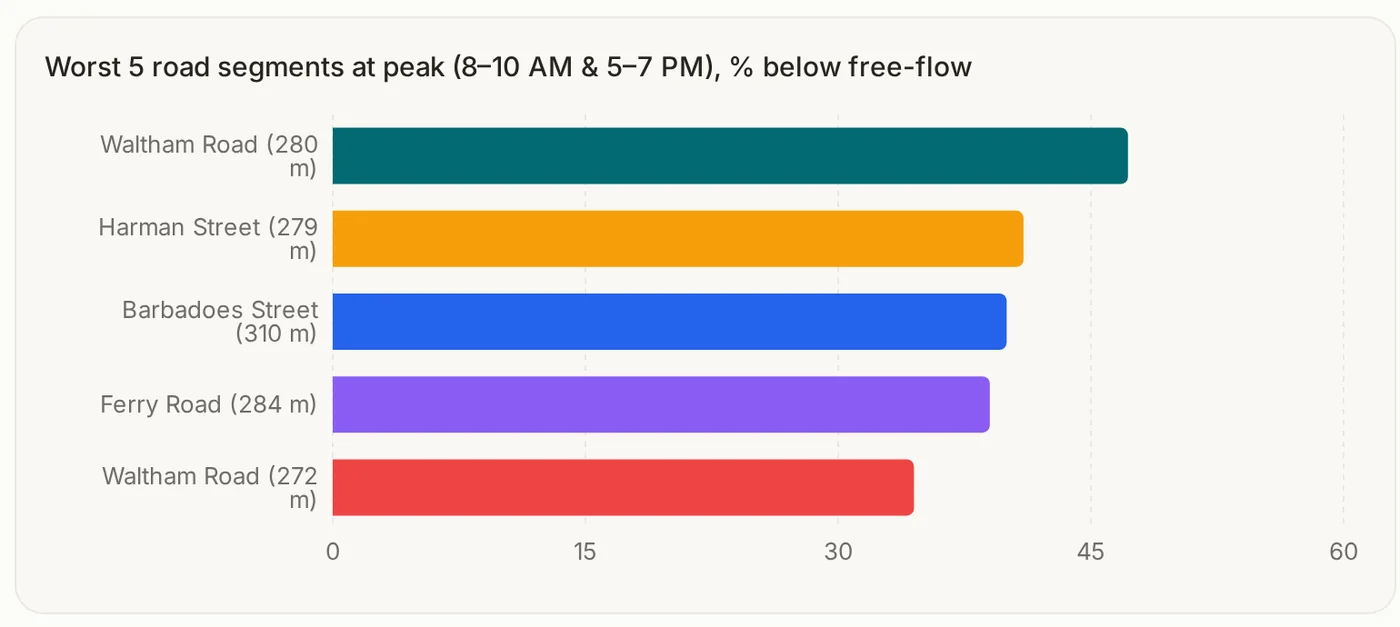
Which roads had the longest delays this morning?
app.trafficure.com/assistant
Assistant answer comparing congestion by hour
The assistant's working steps: querying roads, checking alerts, weather history and web sources
Chart: worst five road segments at peak, percent below free flow

It shows its work

Every query, data check and source is listed, so the answer can be trusted and repeated.

Ask from any screen

A small ask bar sits on every map and panel, and asks back when a question is unclear.

Bring your own files

Upload Excel, CSV, PDF or Word, then download the answer as PDF, Word or Excel.

Also on WhatsApp Slack Google Chat
05Brief · Reports

The morning briefing, already written.

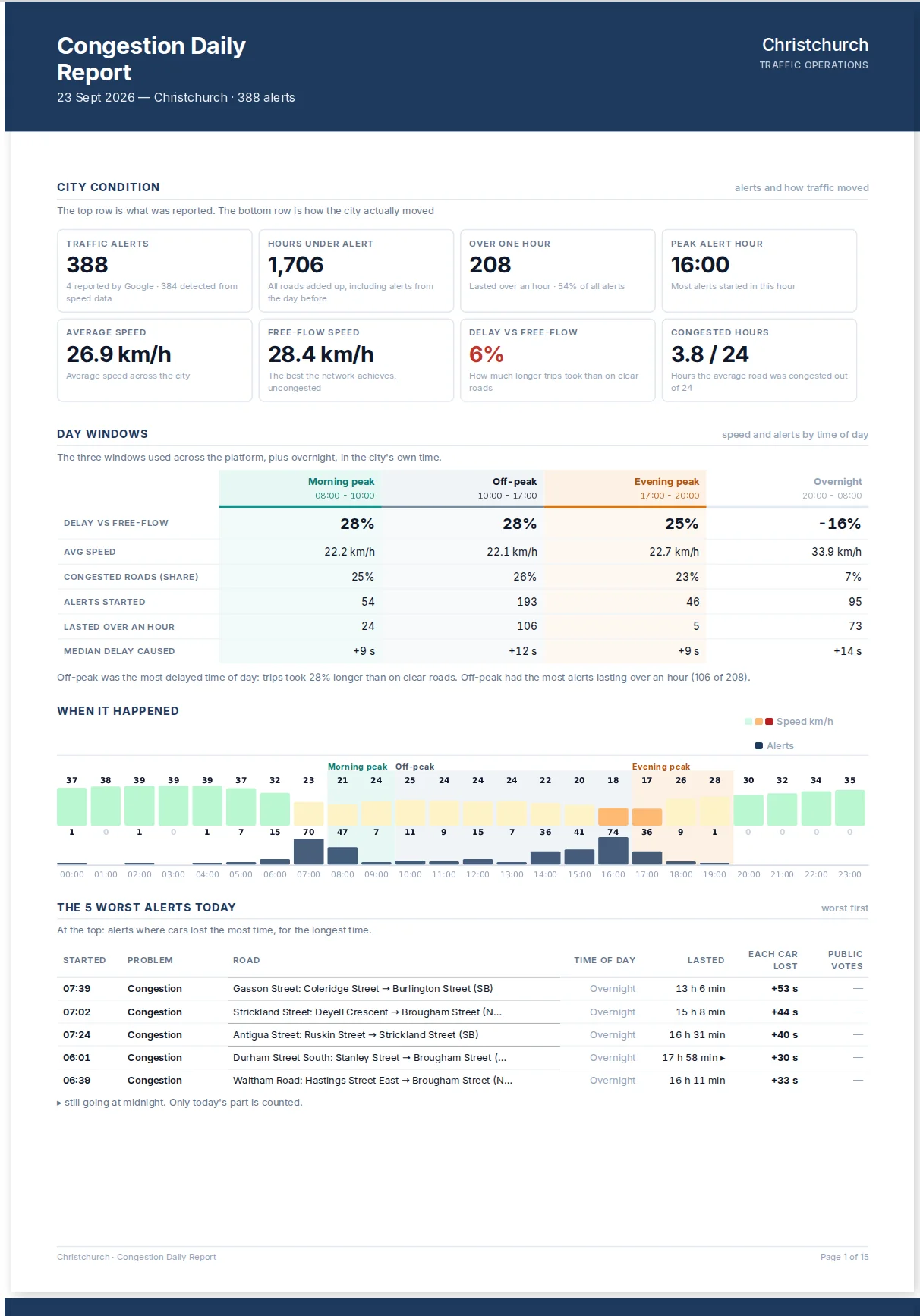
Daily briefings, weekly health checks and monthly leadership summaries build themselves overnight. Compare any two periods on demand.
app.trafficure.com/reports
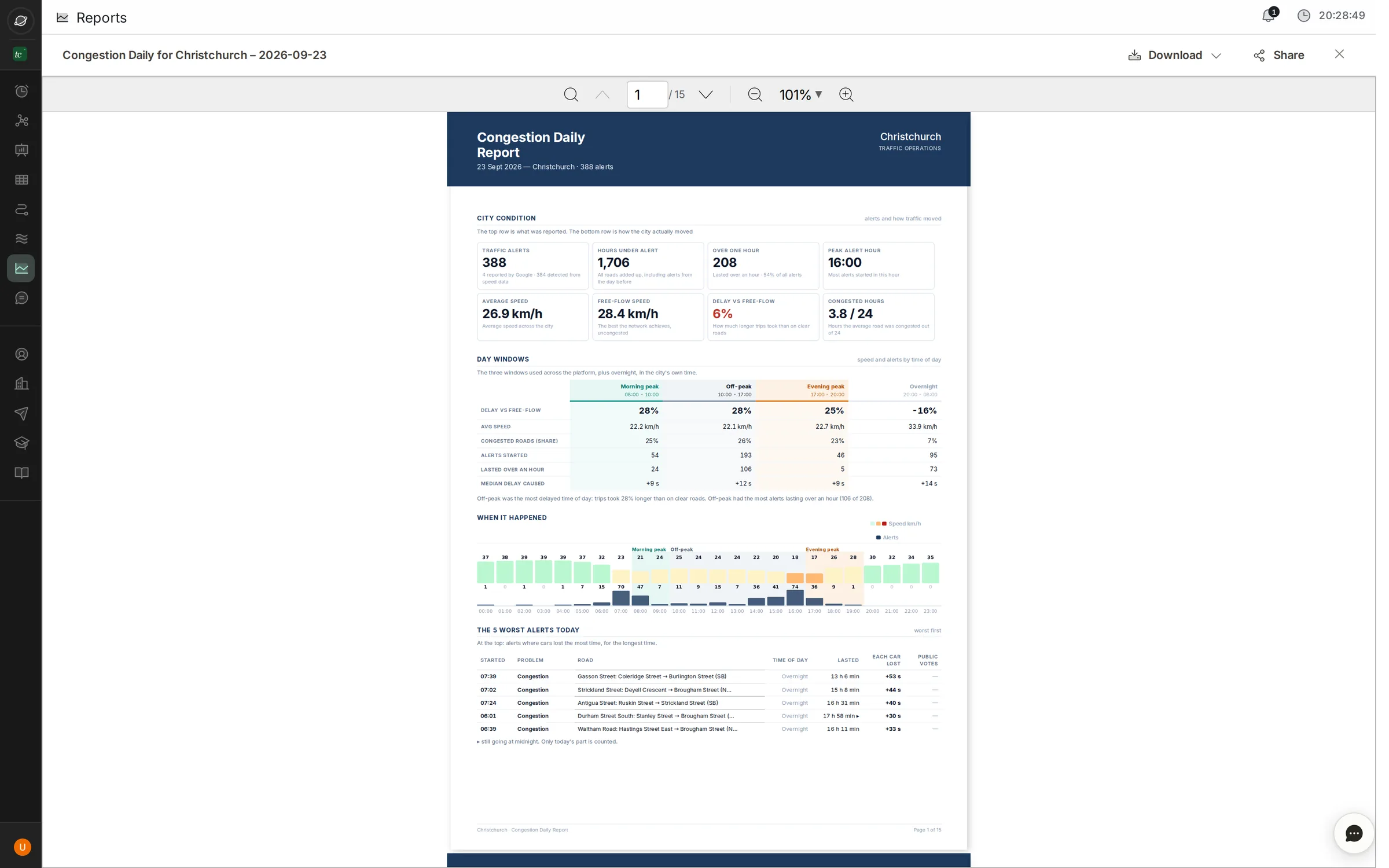
Congestion daily report in the report viewer
First page of the Congestion Daily report: city condition, day windows and worst alerts
Ready · 2:00 AM
Daily, weekly, monthly Corridor, junction, area and route reports Compare two date ranges PDF, download and share
06What if · Simulation

Close the road in software first.

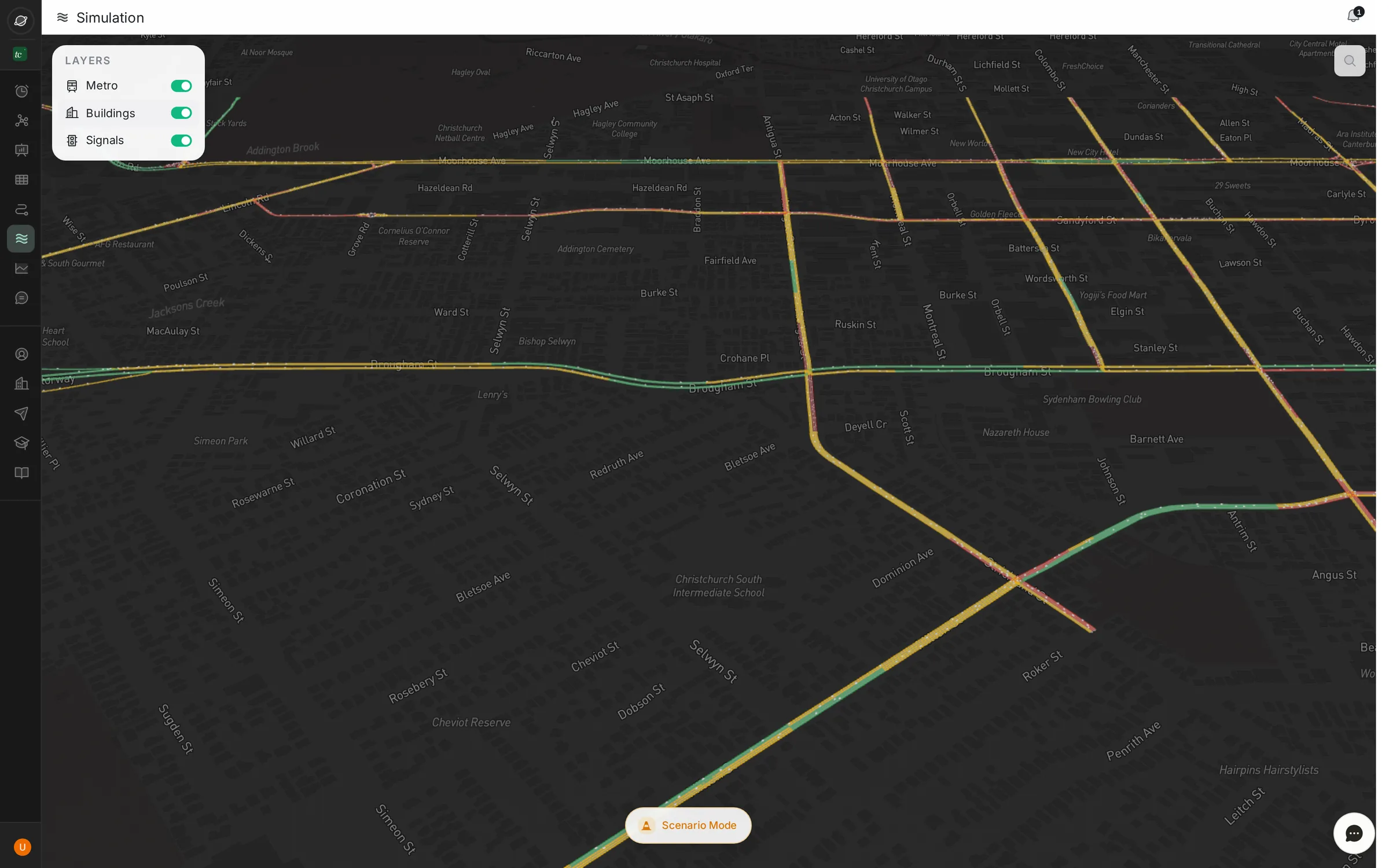
A live 3D model of the city's traffic. Close a road, add a flyover or reroute an event, and watch the fleet respond before a single cone goes down.
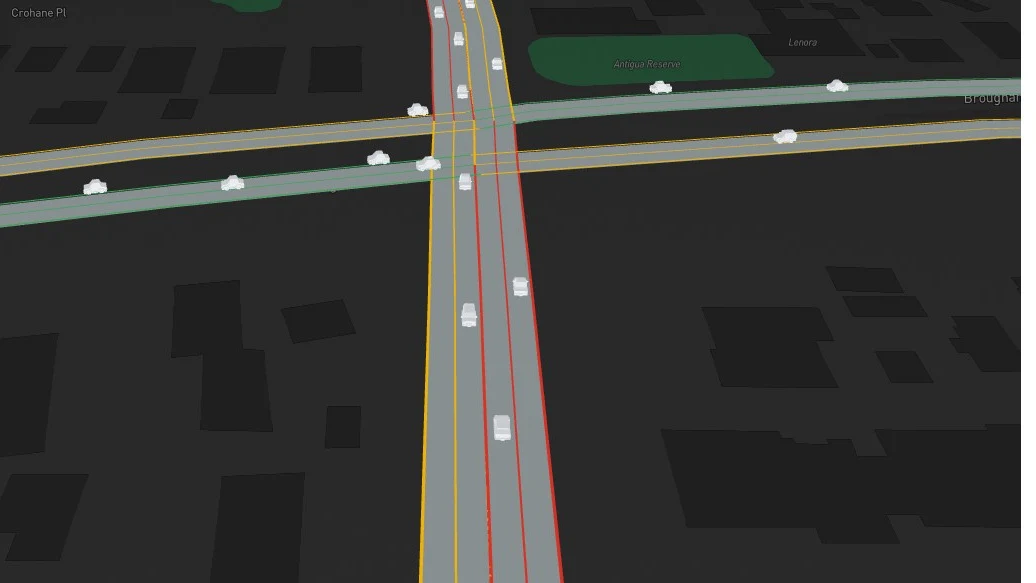
3D simulation close-up: vehicles moving through a junction, with buildings on
Planned closuresSee where traffic spills over, and how badly.
New infrastructureTest bridges, one-ways and lane changes before you build.
Events and weatherPlan diversions for matches, festivals and monsoon days.
In the control room

From live feed to decision.

How traffic police and city teams put TraffiCure to work every day.

Signal timing

Cycle adjustments from today's traffic, pushed alongside your existing ATCS.

Field deployment

Forecast build-up 15–30 minutes ahead and send officers where they move the needle.

Closures and projects

Simulate closures and new infrastructure on real city data before committing budget.

Events and weather

Know which roads choke in rain, matches or festivals, and publish diversions early.

Questions

What city teams ask before they deploy.

Does TraffiCure need cameras or sensors?+

Not to get started. TraffiCure runs on software from day one. It uses anonymised speed data from Google's Roads Management Insights programme, so every smartphone on the road acts as a traffic sensor. No hardware, no installation, no civil works.

How long does it take to go live?+

Typically 2–3 weeks. Pune City Traffic Police went live on 100% of their road network in three weeks with no field work.

Where is TraffiCure live?+

With Pune City Traffic Police, and in deployments across Ahmedabad, Hyderabad, Gurgaon, Shillong, Kolkata and Jordan. More cities are being added.

How often is the data refreshed?+

Every 2 minutes, across the whole road network: arterials, residential streets and service lanes, not just highways and junctions.

Does it work with our ITMS or command centre?+

Yes. Alerts and analytics are available through an API, and the dashboard runs alongside existing ITMS displays. Most cities keep their ITMS for junction enforcement and add TraffiCure for network-wide visibility.

How does the cost compare with a traditional ITMS?+

Because it starts on software alone, total cost of ownership is a fraction of a camera-based ITMS, with no installation, maintenance contracts or hardware replacement cycle. Book a demo for a city-specific quote.

See your city on TraffiCure.

A live demo on your own road network, in under a week.